

Cisco CDR
Cisco CDR Reporting and Analytics, 6.0 – New Features!
March 16th, 2021
I’ll make it short and let you be dazzled by the new features, not by my carefully considered rhetoric.
(As with all the images on this site, click them to get a larger version!)
While there were many improvements all around, this blog will focus on
- New Search Filtering
- the new Browse Groups page
- improvements and added features for devices
New Search Filtering
You can now click on fields in Browse Calls, General Report, and Browse Groups for a small menu that lets you add or remove search terms from the search filters.
A picture is worth a thousand words so let’s have a picture! In this, I’ve already followed this process to add on_hook_party=”recipient” to the search filters. Here I am ready to add callingPartyName=”Josephina” to it as well.
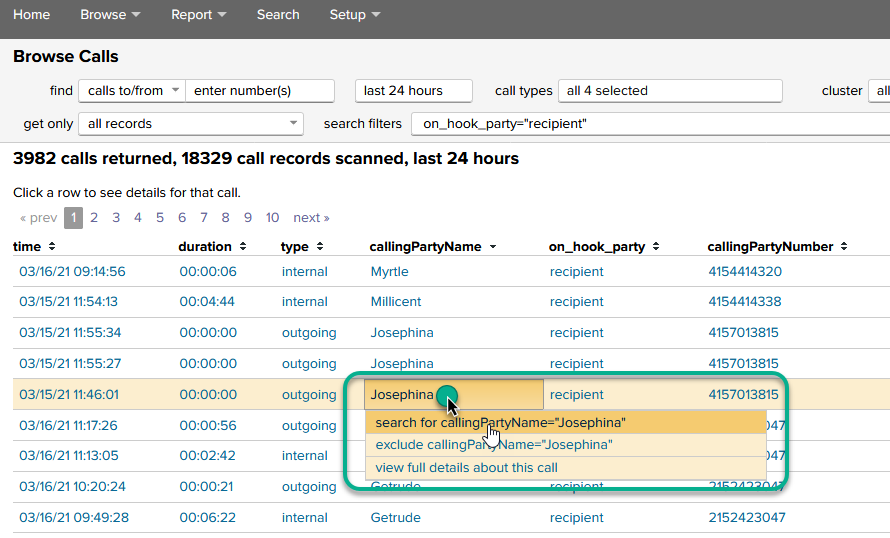
If a picture is worth a thousand words, let’s see what a movie is worth!
Video Player00:0000:36
New Browse Groups page
We’ve always had a way to Browse Extensions and that’s not going away.
But we have now added a way to roll those calls up differently – totaling calls and duration by group.

Try clicking on one of those entries!
New Device information
There’s a new setup page – Setup > Devices – which allows one to upload an exported list of device names from CUCM. We also have an entire app (The Supporting AXL App for Cisco CDR Reporting and Analytics) that will do this on a schedule for you (and which includes a ton more information), but this is a way to get at least some of that goodness without installing that trial or purchasing the app.
Of course, that’s just the sort-of optional setup to get extra information. Because then…
In Browse > Devices you can do neat things like …
- Find phones that have not made a phone call in a particular time period
- More importantly, find phones that CUCM says exist but which have *never* made a phone call recorded in Splunk at all.
If you add to it the information from Supporting AXL App for Cisco CDR Reporting and Analytics, you can
- Search and filter by product name, callingSearchSpaceName, devicePool or any of a number of other fields.
- Use all the above fields in reports or other searches (e.g. once defined, they’re first class citizens!)
- Find canonical “Who does CUCM think this phone is registered to” information
- And lots more!
As an example, here’s what you might see if you at least have the list of devices imported:
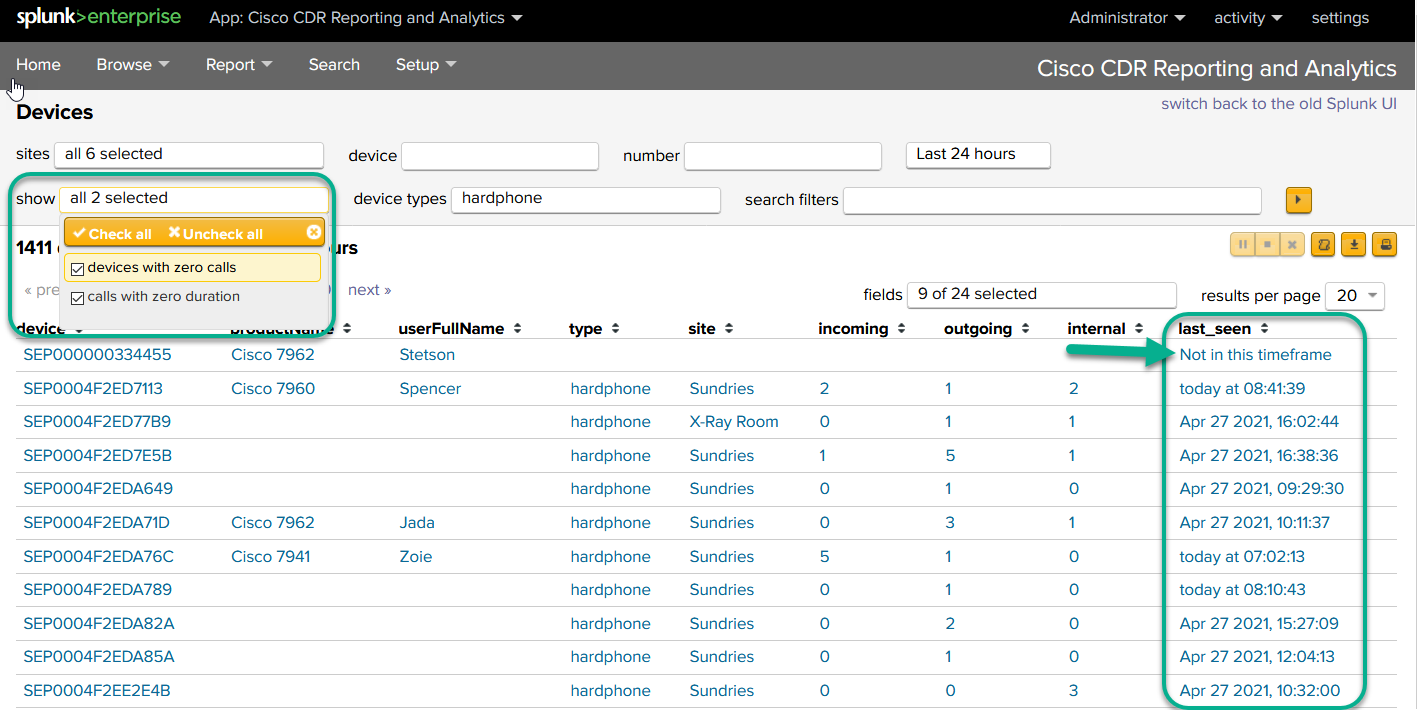
Notice the “Not in this timeframe” under “last_seen?” Using that as a filter, over a longer time frame (say, since the beginning of 2020) might tell you which phones haven’t been used since the pandemic started. Doing it since 2019 would tell you which weren’t used even *before* the pandemic. Useful!
In closing…
If you have any comments on these features or on our documentation for them, please send those to me at docs@sideviewapps.com. I’d love to hear from you!
Related
The finalMobileCallingPartyNumber field is critical to SNR analysis, but it also illustrates the importance of looking beyond the more familiar fields.
December 30th, 2025
If you are running Cisco Unified Communications Manager (CUCM), you know how critical it is to your business. However if toll fraud started happening on your system today, would you know right away?
September 22nd, 2025
What to do when the RTMT installer just quietly fails on you every time.
September 3rd, 2025
Practical steps to investigate and diagnose audio issues in CUCM, including one-way audio, from sanity checking your ports and configuration, to using Sideview's app as your command center.
June 19th, 2025